Police response
Law enforcement and public safety
Send your location, incident details, and a current photo to authorized Cordova response teams.
The form collects the information authorized teams need to review the incident.
Step 1: Confirm the location
GPS and the selected barangay help place the report in Cordova.
Step 2: Attach current evidence
A current photo helps authorized staff review the emergency.
Step 3: Notify the right services
Choose Fire, Medical, Police, Hazard, or multiple services when needed.
After submission, sign in to track the status of your own reports.
Choose the service you need, submit your report, and follow its status from your citizen dashboard.
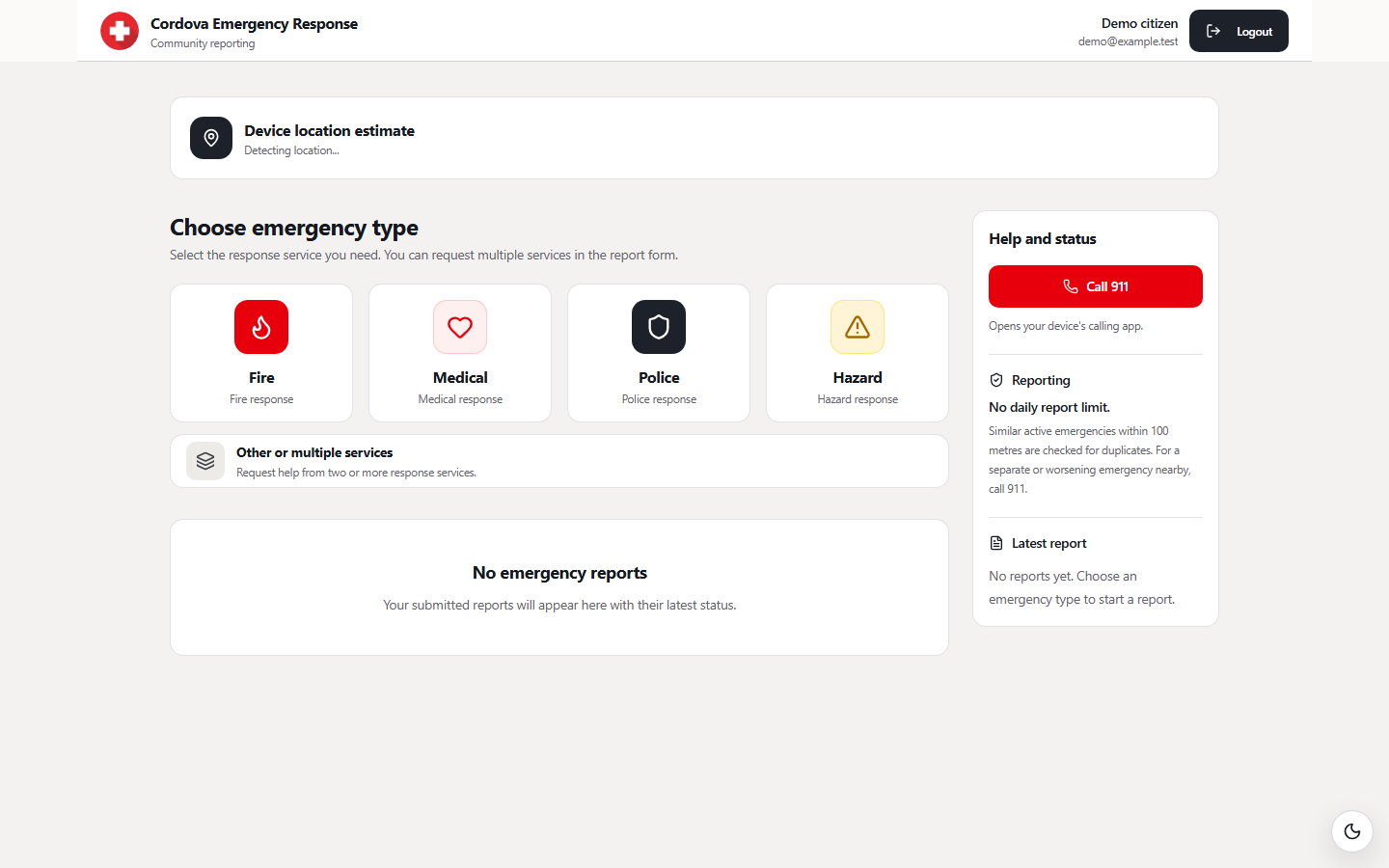
Dashboard preview · Demonstration data, not live emergency reports.
Call 911 when life or safety is in immediate danger. Signed-in citizens can submit a GPS- and photo-backed report for coordinated local response.
Law enforcement and public safety
Fire suppression and rescue
Emergency medical assistance
DRRMO rescue and hazard coordination
Reports can request one service or several services for the same incident.
Choose Fire for fire, smoke, or rescue-related incidents.
Choose Medical when someone needs urgent health assistance.
Choose Police for urgent public-safety or security incidents.
Choose Hazard for flooding, unsafe conditions, or disaster risks.
The reporting flow keeps location, evidence, and status information together without exposing private incident details publicly.
Choose the needed services and add the incident details and contact information.
Select the Cordova barangay, confirm the map location, and attach a current photo.
The system checks the report and lets you follow its status from your account.
Select the incident barangay and confirm the exact map location before submitting a report.
Recognized Cordova locations
Published advisories appear here when they are available from the emergency alert service.
Loading public alerts…